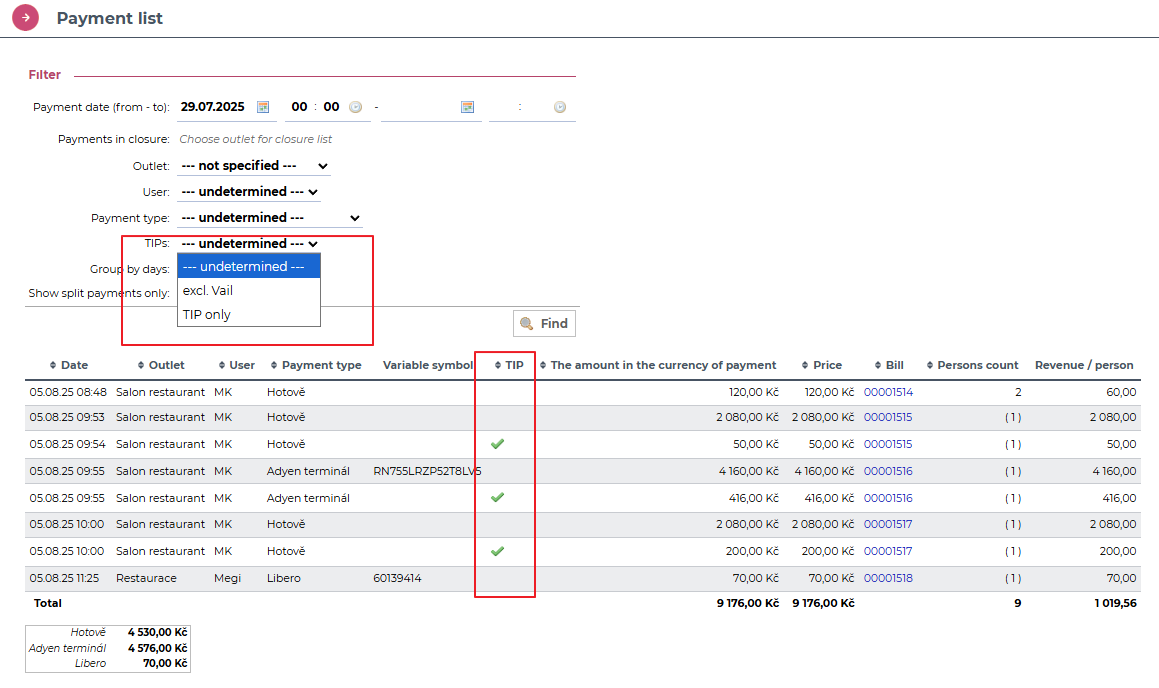
Let's take a look at how we can enter a tip on 3in1 device. It is very easy.
1. Tipping when paying by card
When paying by card, you can choose from pre-set options that we will prepare for you based on the questionnaire you filled out.
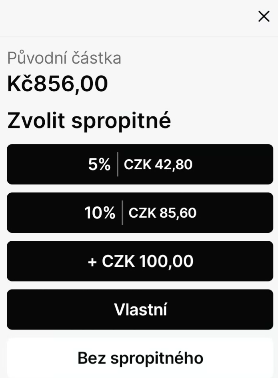
You can also enter custom amount by clicking on Custom option.2. Tipping with other pamynets
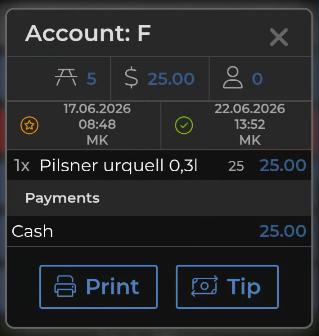
1. After the bill has been settled, its details will be displayed. Here, click the Tip button.
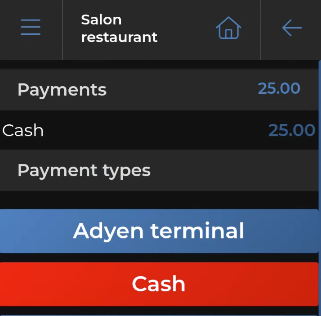
2. Then select the appropriate payment type here:
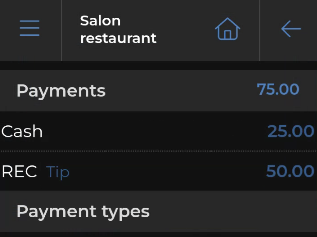
3. The entered tip will then appear in the list of completed payments:
4. You can also track tips in the Venta back office, just like tips entered in Vento POS – via Reportings> Payment List.