
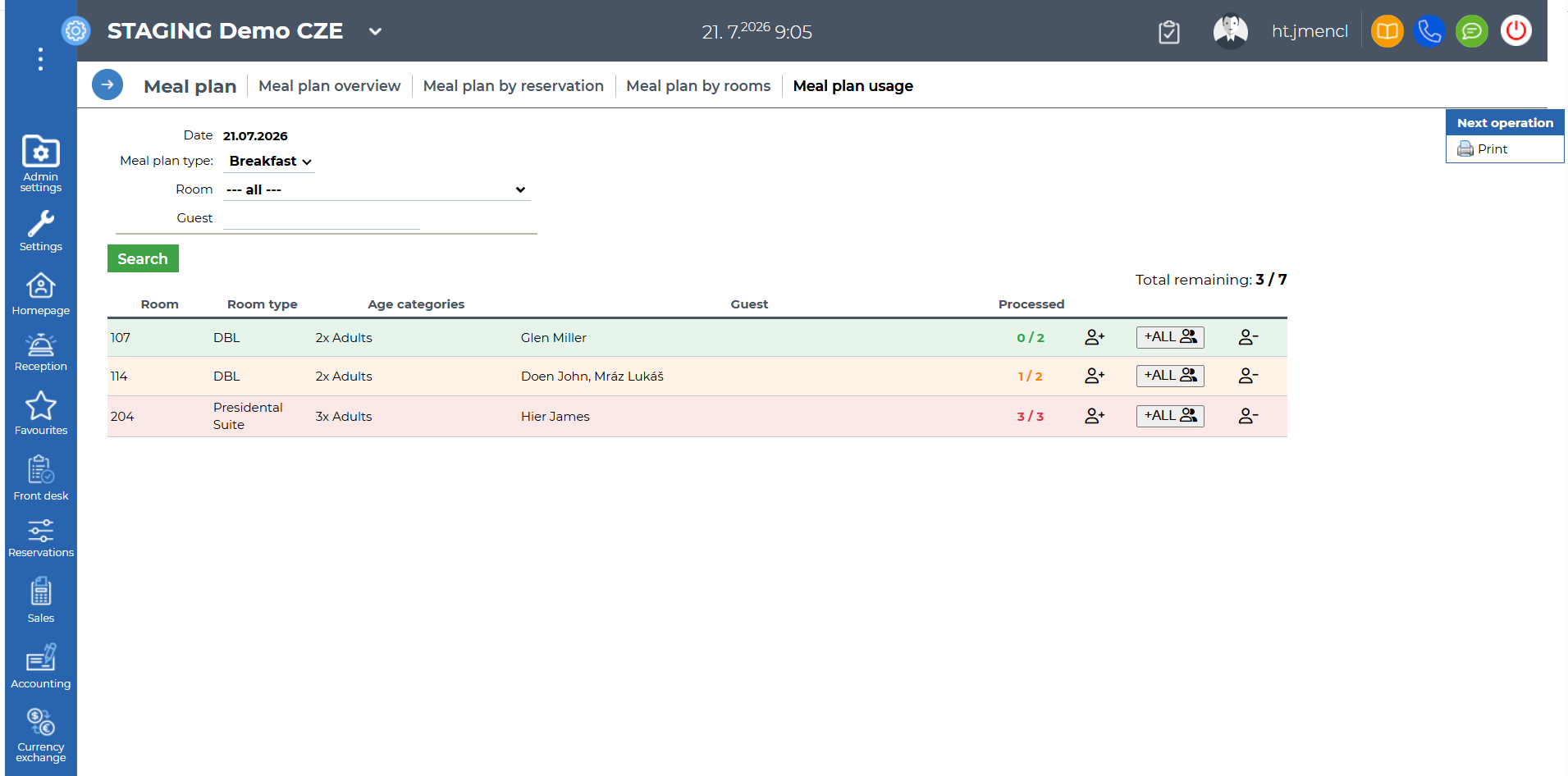
Make it easier for your staff to check guests when serving breakfast, snacks, lunch or dinner. The Meal Plan Usage report provides a clear and efficient way to quickly verify whether a guest is entitled to a particular meal and to easily record their arrival.
The report is especially useful for the hostess or staff checking guests directly at the restaurant entrance. Staff can see how many guests from a particular room have already arrived and how many are still expected.
You can find the report under Reporting → Meal Plan → Meal Plan Usage.
Access requires the Meal plan statistics permission.
Date – the current date. Only the current day can be displayed.
Meal plan type – filter by breakfast, lunch, dinner, snack 1 or snack 2. The search is based on the meal plan revenue breakdown configured when editing the meal plan type.
Room – used to search for a room. Enter the required room in the field or select it from the drop-down list.
If a reservation has not yet been assigned a room, the reservation number is displayed instead.
Guests – used to search for guests by the guest name entered in the room details of the relevant reservation.
If no guest name has been entered for the reservation, the field remains blank.
The report only displays data from reservations with the Confirmed, Checked-in or Checked-out status.
 - The button is used to process guests as arrived one at a time.

- The button is used to process all guests in the room as arrived at once.

- The button allows the number of guests processed as arrived to be reduced one at a time, for example to correct a mistake.
Data source: reservations, meal plan revenue breakdown in edit meal plan type settings