
In HotelTime 4.6.22, it is now possible to set the printing of registration cards to PDF instead of the usual printing to MS Word.
1. How do I set it up?
To activate and configure this option, the user right registration card print - PDF is required.
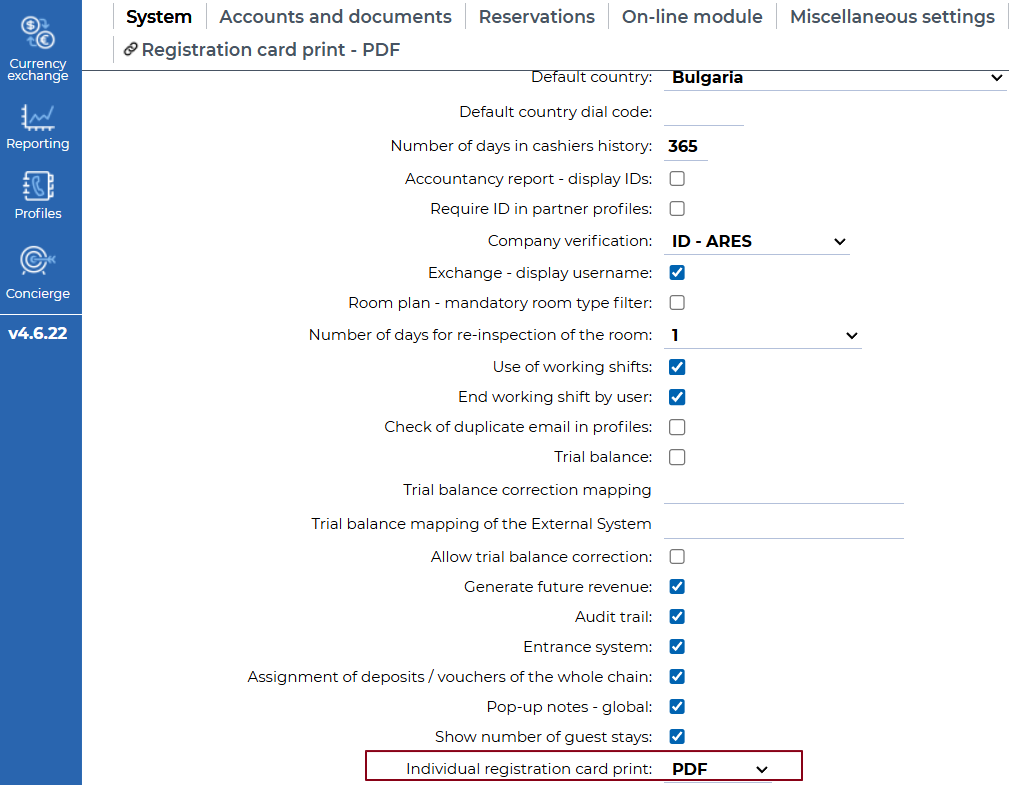
In Settings - Application - Main system set up, set the PDF option for Print registration card in the Individual registration card print:
After saving, registration cards will be printed to PDF in the browser and will not be saved to the PC. This setting applies to printing registration cards from:
- Room detail
- Arrivals report
- Guest arrivals report
Bulk printing of registration cards in Arrivals / Guest arrivals still prints to MS Word.
How do I edit the template?
For PDF printing, our default template is already prepared, so there is no need to create a new one.
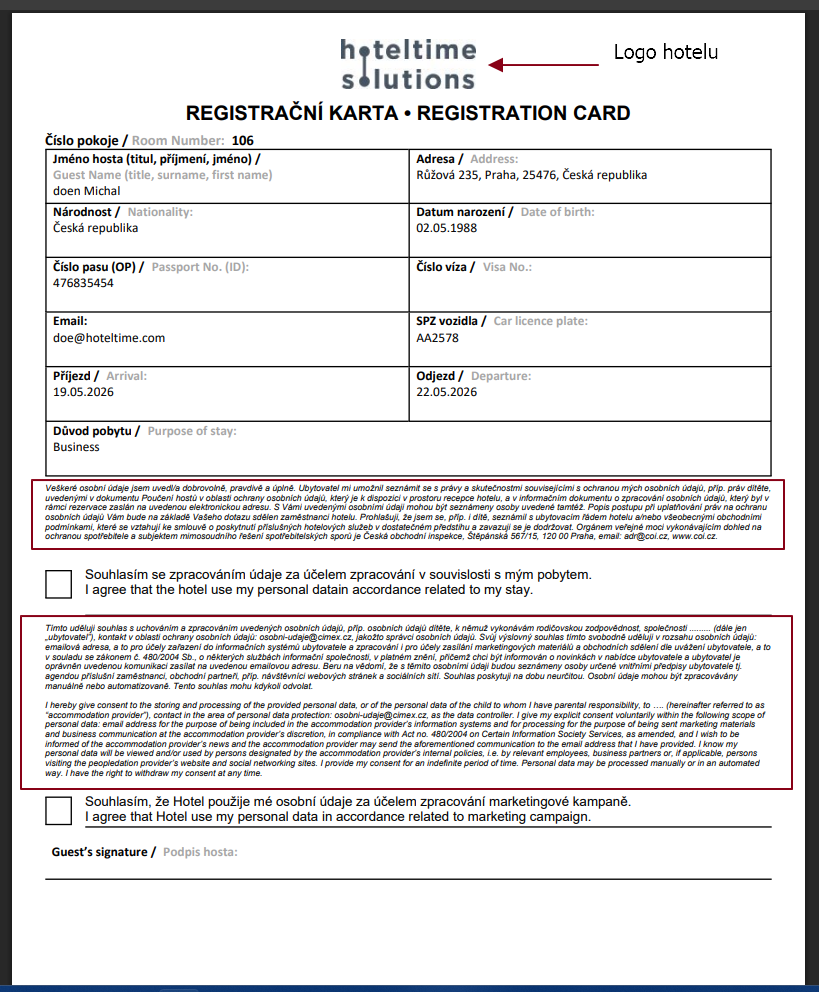
The template will automatically include the texts of both consents; see the image below.
The logo uploaded in HotelTime will also be automatically added to the template, in the same way as on documents.
In Settings - Application- Main system set-up - PDF registration card print tab, you can edit the consent texts and, if needed, enter additional terms and conditions in the Text field.
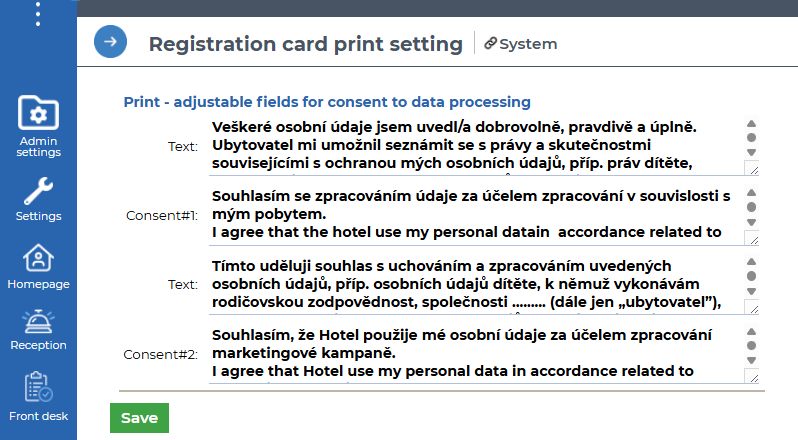
The template may then look as follows. Information from the Text fields is automatically entered into the highlighted fields. .
Should you have any questions, please do not hesitate to contact us.