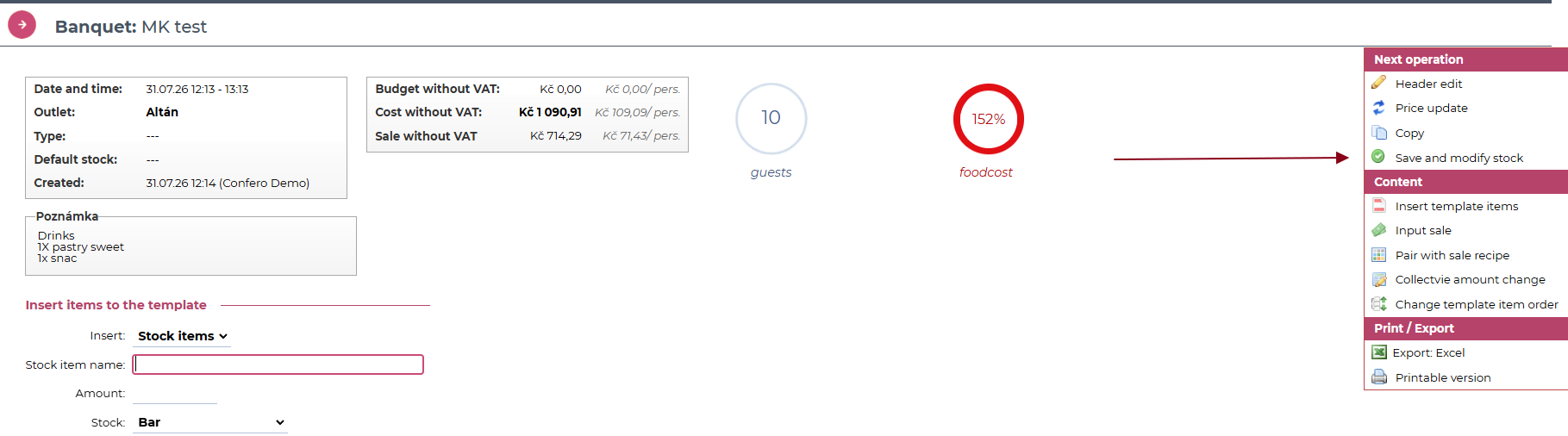
Confero now supports integration with the banquet module in Vento. This allows you to easily create a banquet in Vento while working with a reservation in Confero. It only takes a few clicks. Let’s take a look at how it works.
Setup
What will we prepare for you?
We will set up the system integration between Confero and Vento.
A single Confero application can be connected to multiple Vento applications. This means that each location in Confero can be connected to a different Vento application.What do you need to set up?
In Confero, you need to select a Vento banquet template for each meal package type. When a banquet is created from a reservation, this template will be used.
Go to Locations – Location detail – Meal packages:
- Click the edit icon next to the relevant meal package, select the Banquet template, and save your changes.
Each location displays the templates available in the corresponding Vento application.Creating a banquet from a reservation
Confero
When a reservation in Confero contains a meal package connected to a banquet template in Vento, a new option for creating a banquet will appear in the reservation menu:
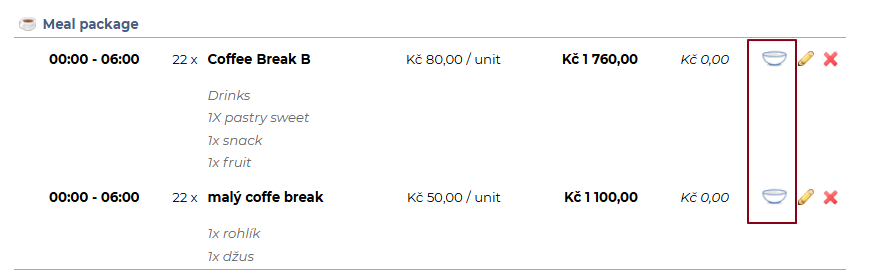
Click the icon to open the window for creating a banquet:
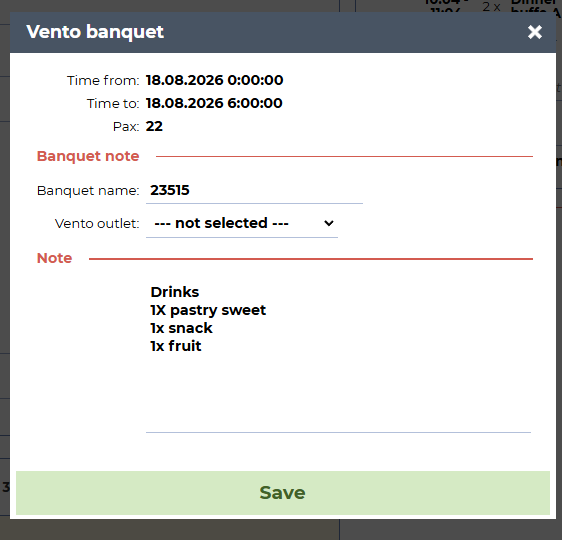
Dates – The date and time are taken from the meal package details in the reservation.
Pax – This is automatically taken from the details of the selected meal package in the reservation.
Banquet name – The event name from Confero is automatically pre-filled.
Vento outlet– Select the corresponding otulet in Vento. The available outlets are based on the integration settings between Confero and Vento.
Click Save.
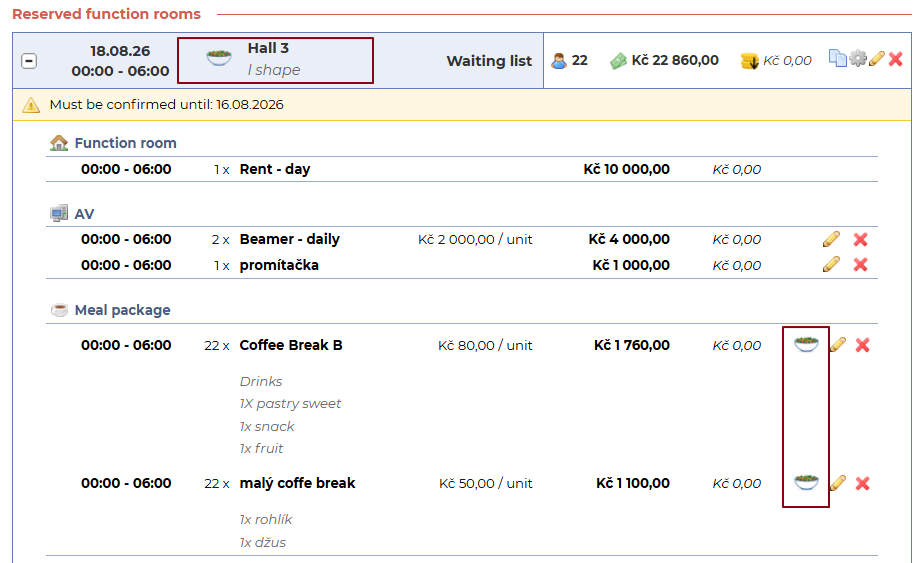
Once the banquet is created, the icon changes, so you can easily see that the banquet was made:
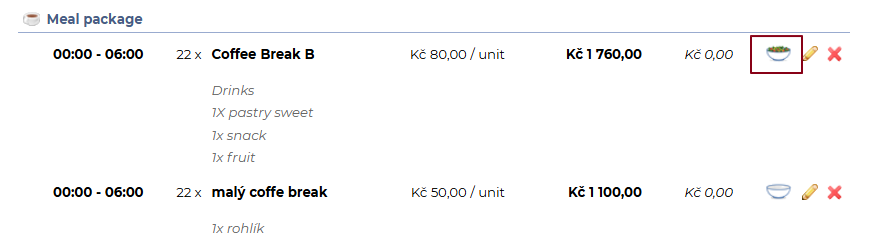
If banquets were created for all Meal packages under specific function room, you will also see the icon changed in the Function room header:
Vento
You can find the new banquet in Vento in the usual place:
Banquet/Breakfast – Events list.
Information from Confero is transferred to the banquet header, including the note for the relevant meal package:
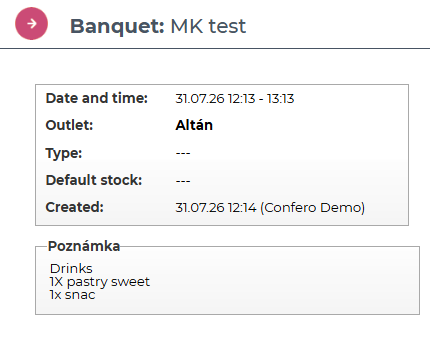
The quantities of deducted items are adjusted according to the number of pax and the selected template.
The meal package price from Confero is equal to the revenue of the corresponding banquet in Vento.
The banquet must then be reviewed in Vento, completed if necessary, and closed in the usual way.