
Do you spend a lot of time every day assigning Housekeeping tasks and preparing the necessary materials from several different places in the system?
This Housekeeping feature will make your daily planning and task allocation between maids and supervisors easier. It allows you to clearly assign individual rooms to specific staff members and then provide them with a ready-made list.
Settings:
Please request activation of the "HSK Automation Module".
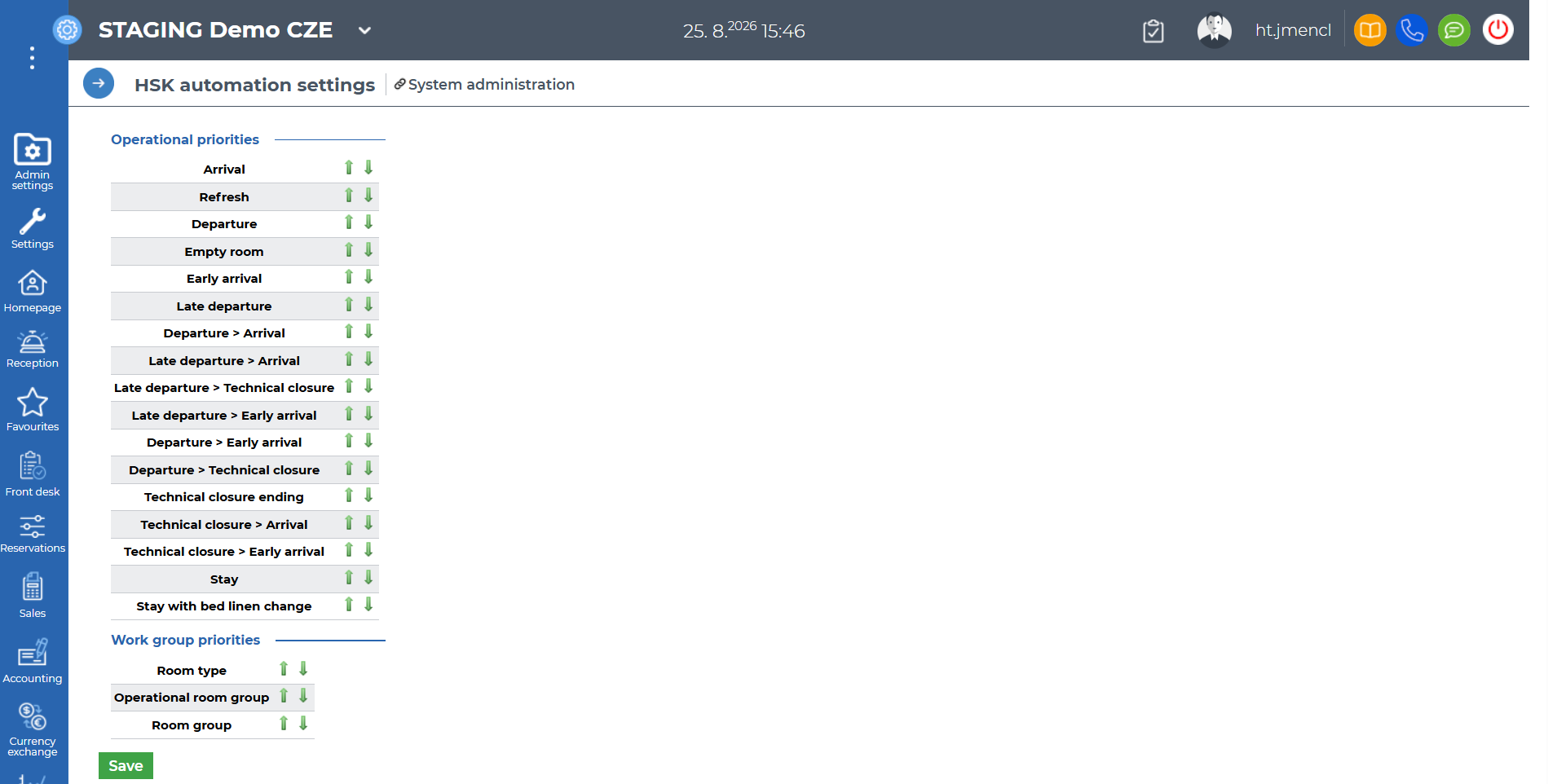
Once activated, go to Settings - Application - Main system-set up - HSK Automation tab and use arrows to set up Operational priorities and Work group priorities. Items at the top have the highest priority.
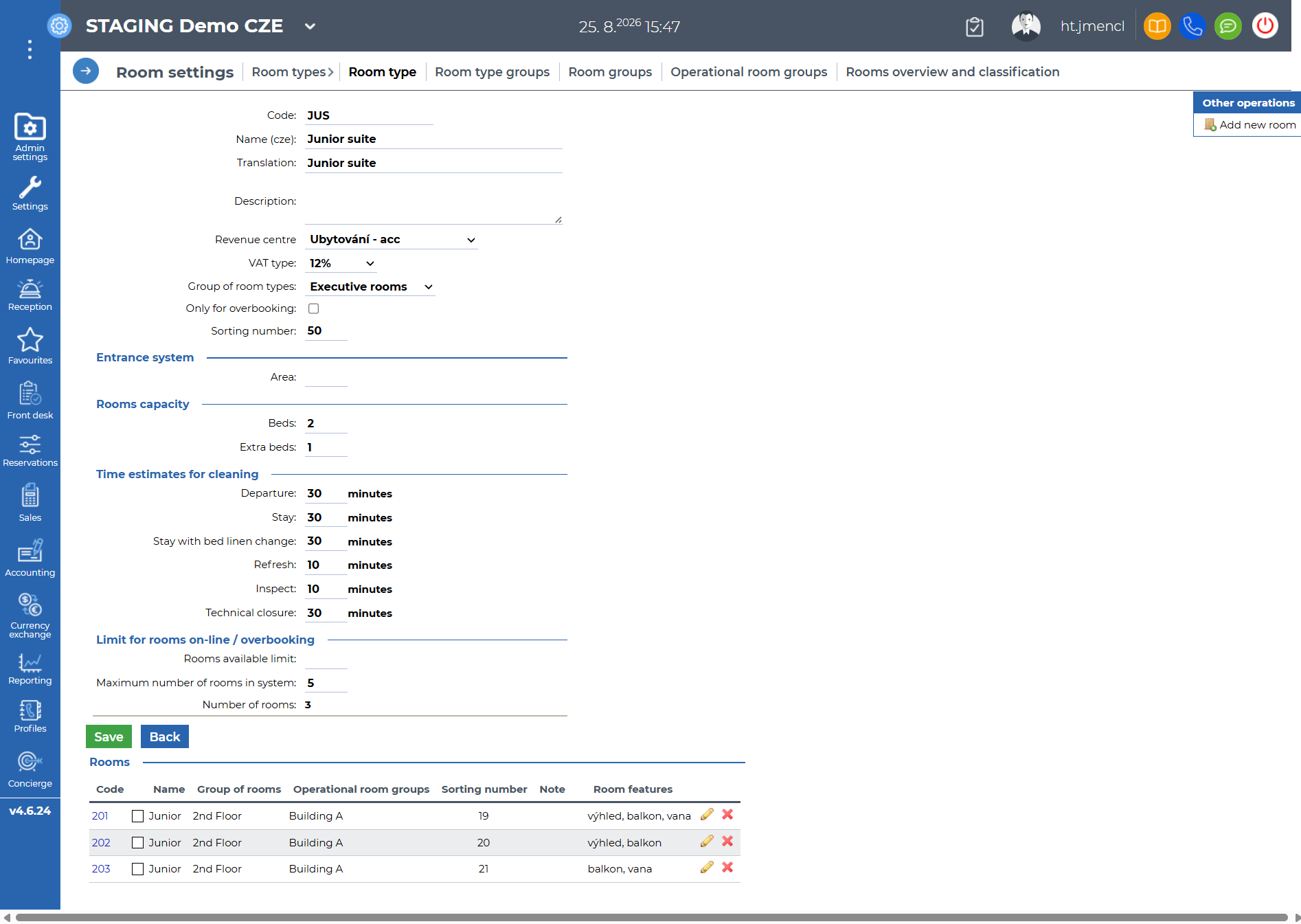
For each room type, complete the "Time estimates for cleaning" section.
Use:
You can then assign the work via Front desk - Housekeeping - Automation, where you select who the work assignment reports are being created for, the number of employees, which actions should be included, etc. Then click "Create".
If you need to assign a room to a different staff member, you can do so in the "Move" column.
In the Other operations section, you can then export the data to Excel and print it for the staff.
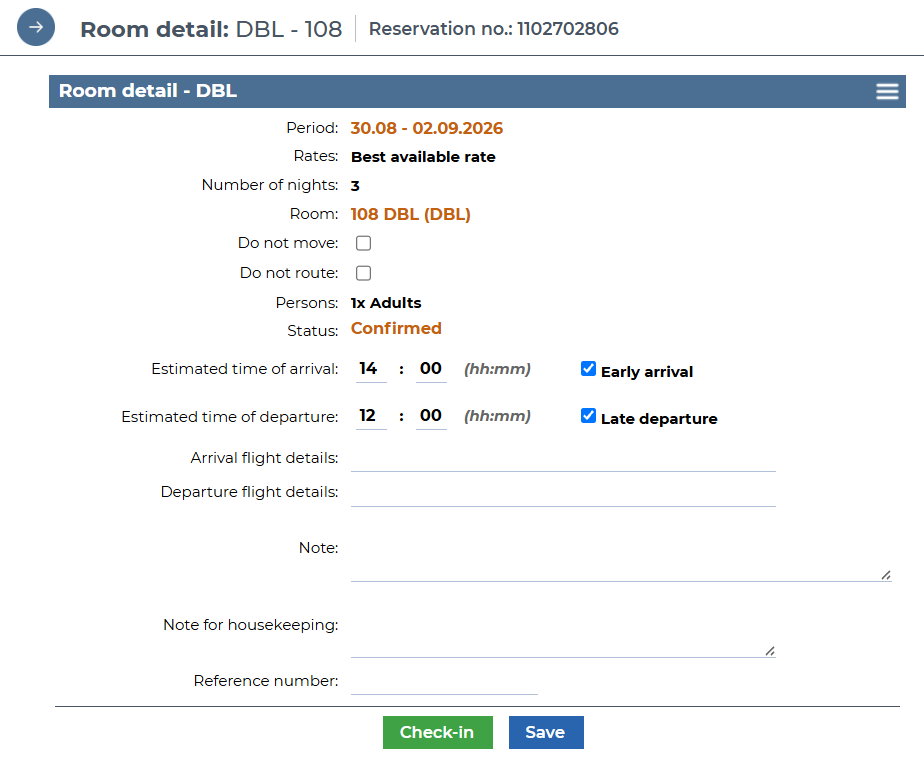
In connection with this feature, you can mark a room in each room detail with the Early arrival or Late departure flag.
However, these improvements are not the end of the development. In the next phases, you can look forward to, for example, integration with the HSK application, a new report for bed linen collection, and other enhancements.